Reseller / Users
Create new End User accounts for your customers.
To add a customer, you only need to enter the Name and Email Address.

Click on the ‘Create User’ button to trigger an email which will be sent to the End User. The End User will need to click on a link in the email to set a new password.
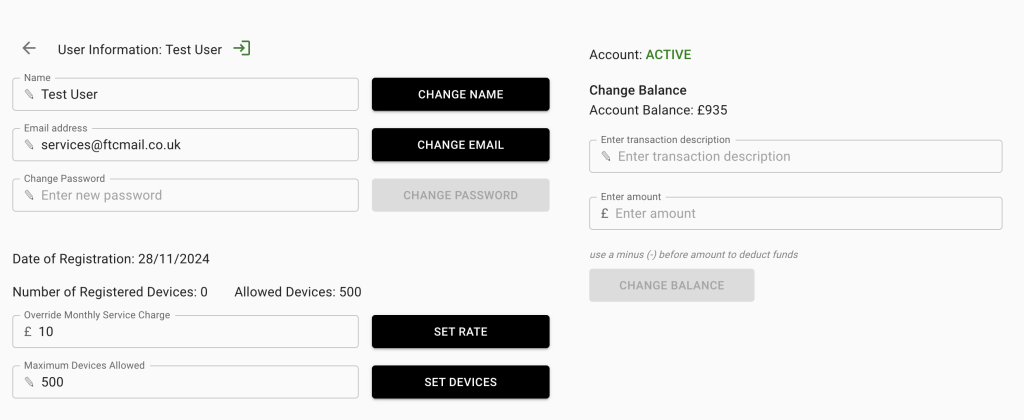
A User list will be displayed on this page. Click on any User to open more User account details.
Here you can
- update the NAME, EMAIL ADDRESS or PASSWORD.
- add or remove funds from the account
- set a custom monthly service charge for the account.
- set a limit to number of devices allowed in
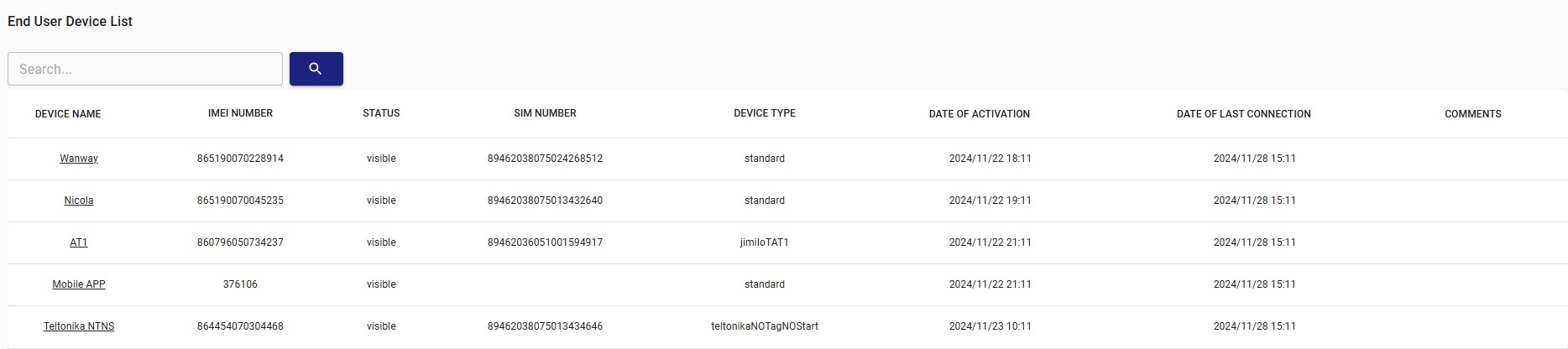
The next section lists all the devices under the User account. You can click on any device to edit it.
(click on image below to see larger version)
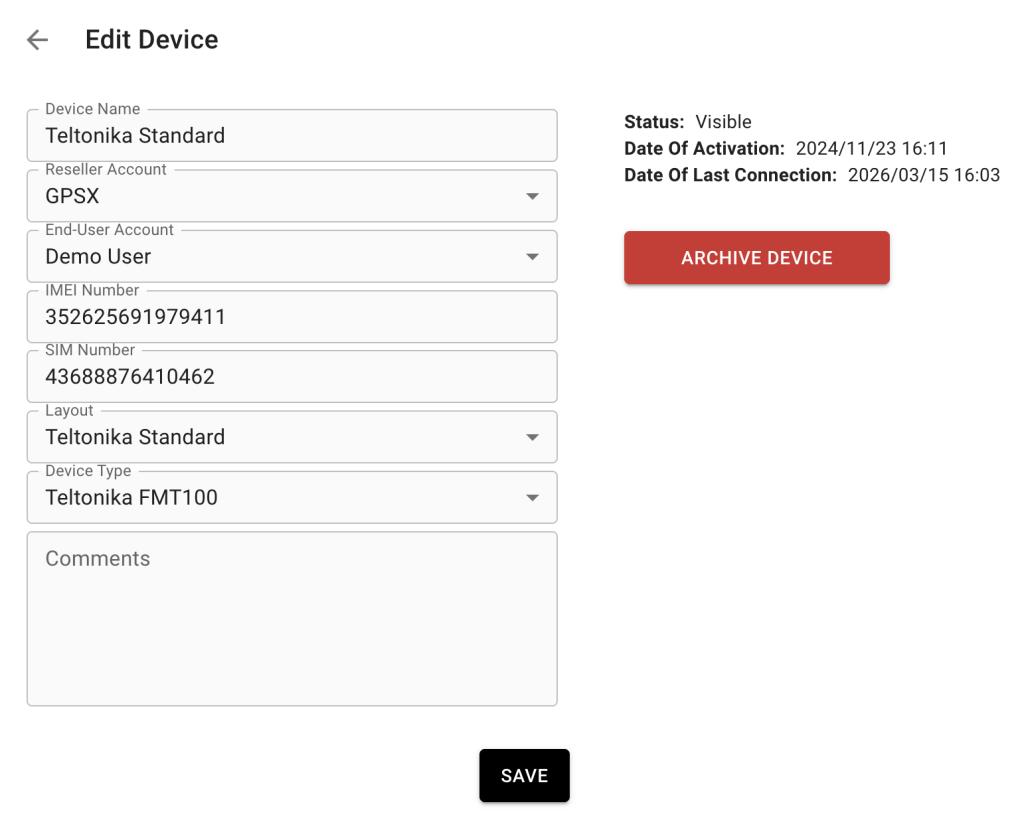
On the Edit tab, you can switch the device to a different End User account, archive the device if required, select the model type and add comments.